Organic Light-Emitting Diode (OLED) technology offers deep black levels and contrast, making LG OLED televisions popular among South African home cinema enthusiasts and gamers. However, the potential for permanent image retention—commonly known as OLED Burn-in—remains a concern for buyers.
When static logos, news tickers, or gaming HUD elements leave permanent ghost outlines on a screen costing tens of thousands of Rands, homeowners need to know their rights. Is OLED burn-in treated as a manufacturing defect covered under an LG warranty, or is it classified as consumer misuse? More importantly, how does South Africa’s Consumer Protection Act (CPA) protect your purchase?
This guide breaks down how to diagnose temporary retention versus permanent burn-in, outlines necessary maintenance steps, and explains your rights under South African law.
Step 1: Temporary Image Retention vs. Permanent Burn-In
Before submitting a claim or seeking legal advice under consumer protection laws, it is essential to determine whether your panel is suffering from temporary image retention or true sub-pixel degradation.
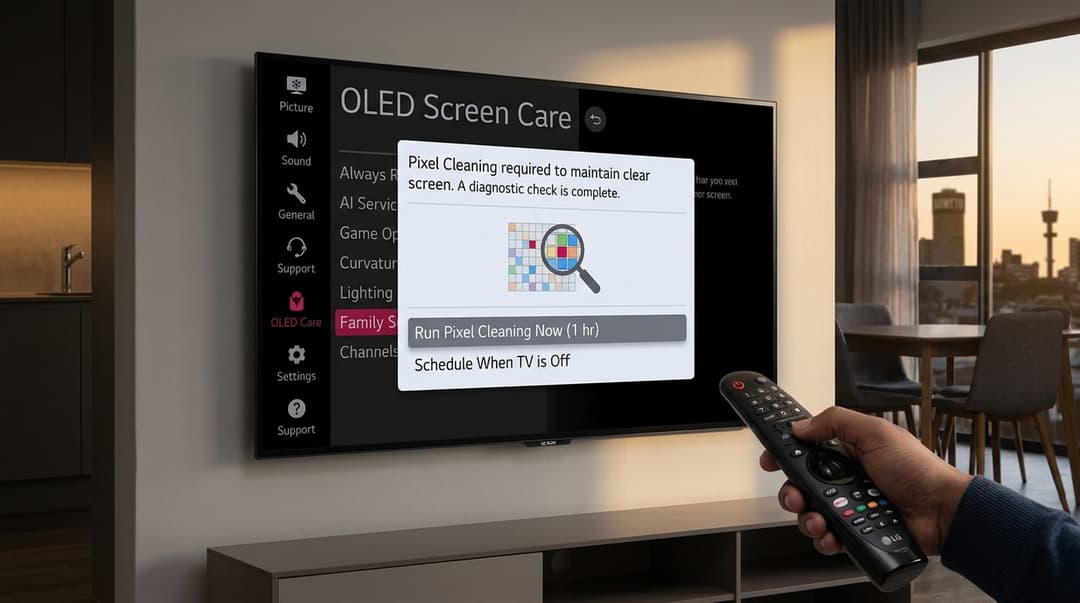
Figure 1: Always run LG's built-in Pixel Cleaning tool before assuming image retention is permanent burn-in.
The Built-In Maintenance Solution (Pixel Refresh)
Modern LG OLED TVs (including the C, G, and B series) feature automated maintenance routines designed to even out sub-pixel wear:
-
Automatic Pixel Cleaning: Runs automatically in the background when the TV is turned off using the remote after 4 cumulative hours of view time. Note: Never switch off your TV at the wall socket immediately after viewing, as this prevents the automatic cycle from running.
-
Manual Pixel Refresh / Cleaning:
- Navigate to Settings > General > OLED Care > OLED Panel Care.
- Select Pixel Cleaning and initiate the process.
- The process takes approximately 10 to 60 minutes (depending on your model generation). The screen will display a white horizontal line moving across a black background while performing calibration.
Step 2: Diagnostic Reference Breakdown
Use this reference guide to identify whether your display issue is a maintenance artifact, a hardware defect, or permanent burn-in:
OLED Symptom & Coverage Matrix
| symptom | cause | action | cpaCoverage |
|---|---|---|---|
| Ghosting / Image Ghosting (Disappears after 10-15 mins) | Temporary Image Retention | Run Manual Pixel Cleaning cycle. No repair needed. | N/A (Normal operation) |
| Permanent Static Silhouette / News Ticker Outlines | Permanent OLED Burn-in (Sub-pixel degradation) | Perform Pixel Refresher. If persistent, requires technician assessment. | Protected under CPA Section 56 (6-Month Statutory Warranty) |
| Vertical White/Green Bright Line Across Display | Panel T-Con Board or Ribbon Cable Hardware Failure | Power cycle TV. If persistent, book immediate LG technician. | Covered under Manufacturer & CPA Warranty |
| Dead Pixels (Black Spots) | Defective organic pixel cluster | Check against LG ISO Dead Pixel threshold. | Covered if exceeding manufacturer threshold |
Step 3: Understanding Your Rights Under South African Consumer Law
South African consumer rights regarding electronic goods are governed by the Consumer Protection Act 68 of 2008 (CPA). These statutory rights exist alongside LG’s commercial manufacturer warranty.
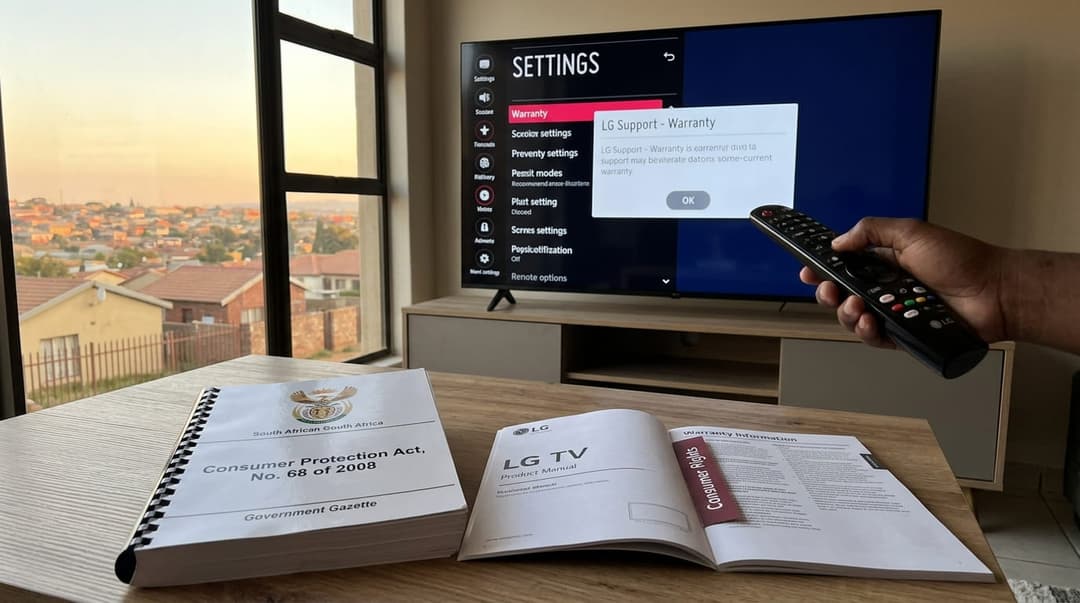
Figure 2: The South African CPA provides a statutory 6-month implied warranty that operates independently of commercial retailer fine print.
1. Section 55: Right to Safe, Good Quality Goods
Under Section 55 of the CPA, consumers have a right to receive goods that are reasonably suitable for the purpose for which they are generally intended, of good quality, in working order, and durable for a reasonable period of time.
2. Section 56: Implied Warranty of Quality (The 6-Month Rule)
If your LG OLED TV develops permanent burn-in within 6 months of purchase, Section 56 of the CPA explicitly protects you:
- Consumer's Choice: If a product fails or manifests a defect within 6 months of delivery, the consumer has the legal right to demand a full refund, a replacement unit, or a free repair.
- Retailer Refusals: A retailer cannot force you to accept a repair if you prefer a replacement or refund within this 6-month window, provided the burn-in arose from normal home use.
3. Beyond 6 Months: The LG Manufacturer Warranty
Beyond the initial 6-month CPA window, you fall under LG South Africa's standard commercial warranty (typically 2 years for standard models, with extended 5-year panel warranties on premium G-Series models).
LG South Africa evaluates OLED burn-in on a case-by-case basis:
- Covered: Unexpected image retention resulting from standard, varied home media viewing (movies, streaming, general TV).
- Excluded: Excessive static image displays resulting from commercial use (e.g., displaying a digital menu 24/7 in a shop, static security monitoring, or continuous static shop floor demos).
The below table summarizes the LG warranty coverage for OLED burn-in:
| coverageType | duration | burnInPolicy |
|---|---|---|
| Standard LG Manufacturer Warranty | 2 Years (Standard) / 5 Years (G-Series OLED Panel Only) | Evaluated on a case-by-case basis (Excludes commercial misuse/static banners) |
| CPA Statutory Warranty (Section 56) | 6 Months from delivery/purchase | Mandatory consumer choice: Repair, Replace, or Full Refund for defective goods |
| Extended Retailer Warranty (e.g., Incredible Connection / Hirsch's) | 3 to 5 Years | Varies by contract; explicitly inspect for 'Screen Burn / Retention Exclusions' |
Step 4: Step-by-Step Claim Procedure for South Africans
If your LG OLED screen exhibits permanent static shadows after running the manual Pixel Cleaning cycle, follow these steps to lodge your claim:
1. Gather Documentation
- Original Store Tax Invoice (e.g., from Incredible Connection, Hirsch's, Makro, or Takealot).
- Serial Number and Model Code (Found on the sticker on the back of the TV panel or via
Settings > General > Devices > TV Management > TV Information).
2. Document the Defect
- Take clear photographs of the TV screen displaying full solid color backgrounds (Red, Green, Blue, and 20% Grey test screens highlight burn-in clearly).
3. Contact LG Customer Care South Africa
- Toll-Free Hotline: 0800 54 54 54 (0800 LG LG LG)
- WhatsApp Support: Available via the official LG South Africa portal.
- Request a certified technician on-site assessment. For screens 55 inches and larger, LG typically dispatches a field technician to evaluate the panel in your home rather than requiring you to transport it.
Summary Checklist Before Lodging Your Claim
- [ ] Initiated a manual Pixel Cleaning cycle via
Settings > General > OLED Care. - [ ] Ensured the TV remains plugged into the wall outlet overnight for background maintenance.
- [ ] Confirmed the TV has not been used for commercial 24/7 static display purposes.
- [ ] Located your original Tax Invoice showing the purchase date.
- [ ] Identified whether your claim falls within the 6-month CPA statutory window or the LG Manufacturer Warranty window.
Experiencing a similar issue? Contact us for a no-obligation quote. We're here to help.
If you know what parts to look for, please visit Tech and Bids to search for what you need.