Seeing sharp vertical lines cut across a Samsung curved TV screen is frustrating—especially when you are trying to figure out whether a quick reset will clear the glitch or if you are looking at a costly display fault. On curved panels, the gentle arc of the glass and driver assembly adds mechanical stress over time, making it essential to tell a temporary signal or connection hiccup apart from pixel death or a failing flex cable.
In workshop diagnostics, vertical lines generally trace back to one of three areas: the signal path between the main board and T-Con (Timing Controller) board, the flex cables (including Chip-on-Film / COF tabs along the lower or side edge of the panel), or actual cell/driver failure inside the LCD/LED panel itself.

Figure 1: Vertical lines on a Samsung curved display can indicate a signal fault, flex cable issue, or panel defect
Panel Failure vs. Loose Ribbon Cable vs. Pixel Death
Not every vertical line means the entire display panel is ruined. A wide vertical band or color distortion often points to a loose ribbon cable or timing fault, whereas razor-thin lines that never shift can signal pixel death or a degraded bond where the flex cables meet the glass substrate.
When technicians repair or re-bond flex cables and Chip-on-Film (COF) tabs on display panels, precision alignment and controlled heat/pressure are critical. A CFM machine (commonly a constant-heat or pulse-heat bonding/ACF equipment setup in display repair workflows) is used to align and bond ultra-fine conductive traces without scorching the surrounding film or damaging adjacent drivers. Because curved screens have fixed geometry and tight bezel clearances, knowing what happens behind the screen helps set realistic expectations before opening a set.

Figure 2: Ribbon and flex cables route high-speed video signals from the main and T-Con boards to the display.
Use the table below to compare common vertical line patterns against likely causes and whether a basic reset is worth trying first:
| Line Characteristic | Likely Cause | Diy Reset Worth Trying | Assessment Required |
|---|---|---|---|
| Single or few thin colored/black lines (1-4 px wide) | COF / flex cable bond degradation or localized pixel death | Low — worth a power cycle and menu picture test, rarely fixed by reset | Yes — bench inspection of T-Con to COF flex cables and panel bonding |
| Wide vertical bars or half-screen color shift | Loose T-Con ribbon cable, oxidized LVDS/eDP connector, or T-Con board fault | Moderate — power drain, HDMI reseat, and Self Diagnosis picture test | Yes — reseating flex cables or replacing/repairing the T-Con board |
| Flickering vertical lines that change with content or menu | Signal handshake glitch, loose source cable, or frame buffer timing error | High — full AC discharge, source swap, and Picture Reset | Only if lines persist in the built-in TV test pattern or Smart Hub |
| Permanent dark or dead vertical columns after impact/moisture | Physical glass micro-fracture, damaged COF tab, or permanent pixel death | No — do not press on curved glass; unplug immediately if liquid spilled | Yes — determines if COF rebonding is viable or panel replacement is needed |
Safe Basic Resets You Can Try First
Before booking a technical assessment, run through a few non-invasive checks. Basic resets will not fix cracked glass or true pixel death, but they can clear hung timing registers, bad HDMI handshakes, or temporary firmware glitches.
- Perform a Full Power Drain: Turn the Samsung curved TV off, unplug the power cord from the wall outlet, and press and hold the physical power button on the TV (not just the remote) for 15 to 20 seconds to discharge residual capacitor charge. Leave it unplugged for at least 2 to 5 minutes before reconnecting.
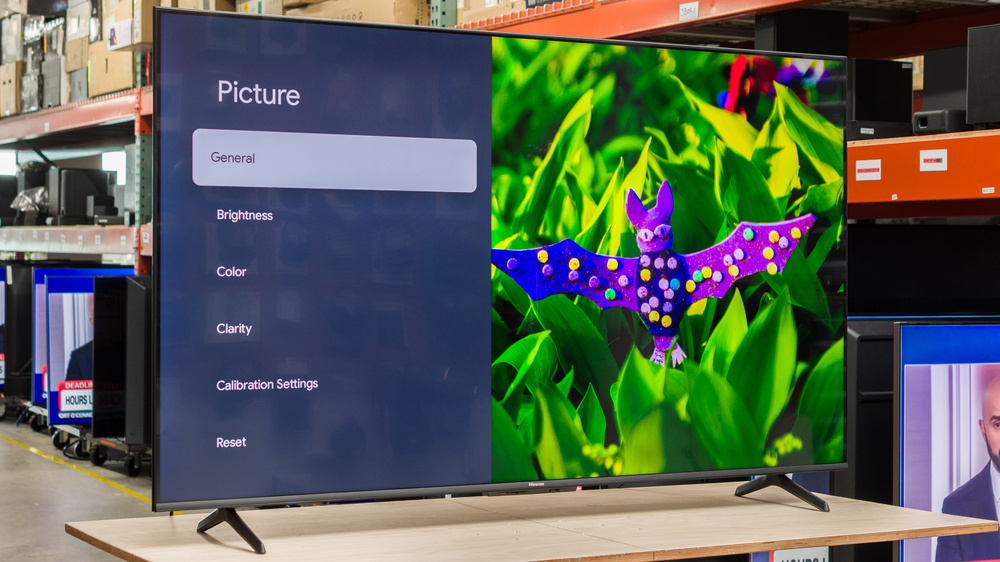
- Isolate the Input Source: Disconnect HDMI cables, set-top boxes, or gaming consoles. Switch to the TV's built-in menu, Smart Hub, or internal Self Diagnosis > Picture Test (path varies slightly by Samsung Tizen year/model). If the vertical lines vanish on the internal test screen, your external cable or source device is the culprit.
- Reset Picture Settings: Open Settings > All Settings > Picture > Expert Settings (or Picture > Reset Picture depending on your model year) and reset picture parameters to factory defaults so an extreme contrast, sharpness, or motion setting isn't exaggerating artifacts.

Figure 3: Running a built-in picture test helps separate external input faults from internal display issues.
Important: Never press, squeeze, or tap on a curved TV screen to "make vertical lines go away." Curved panels are under subtle mechanical tension, and pressing on the glass can easily trigger pixel death or crack the display layers.
When It Requires a Technical Assessment
If you complete a full power drain and picture reset and the vertical lines stay locked in place—especially across the TV's internal test pattern—a basic reset has reached its limit. At that point, a technician needs to inspect whether the fault sits in a detachable ribbon cable, a T-Con board, a COF flex bond, or the panel glass itself.
| Scenario | Recommended Step | When To Book Assessment |
|---|---|---|
| Lines appeared after a power surge, load-shedding trip, or software update | Perform a 2-minute mains unplug + power button hold, then run Picture Test. | If lines remain across both external inputs and the internal test image. |
| Lines appear intermittently when flexing or warming up the chassis | Check HDMI/source cables and reset Picture settings; avoid pressing the screen. | Strongly recommended — points to thermal expansion on flex cables or COF bonds. |
| Visible liquid mark, impact spot, or burning smell near bottom bezel | Unplug the TV from the wall immediately to prevent further shorting. | Immediate technician assessment required before powering on again. |
A proper workshop assessment also protects you from wasted spending. Because replacement panels on curved TVs can cost nearly as much as a new television, an honest diagnostic check helps you decide whether a repair is cost-effective or if the set is better retired.
Experiencing a similar issue? Contact us for a no-obligation . We're here to help.
If you know what parts to look for, please visit to search for what you need.
for free estimate or quote.