You're settled in on the couch, hit play on your favorite show—you hear the dialogue perfectly, the menu sounds are clicking... but the screen is completely black. If you are experiencing the infamous "Hisense TV black screen with sound" issue, don't panic.
This problem is often caused by a faulty backlight, a loose ribbon cable, or a simple software glitch. Before you buy a new TV, follow this step-by-step guide to try and resurrect your Hisense television.
Quick Diagnosis: What is happening?
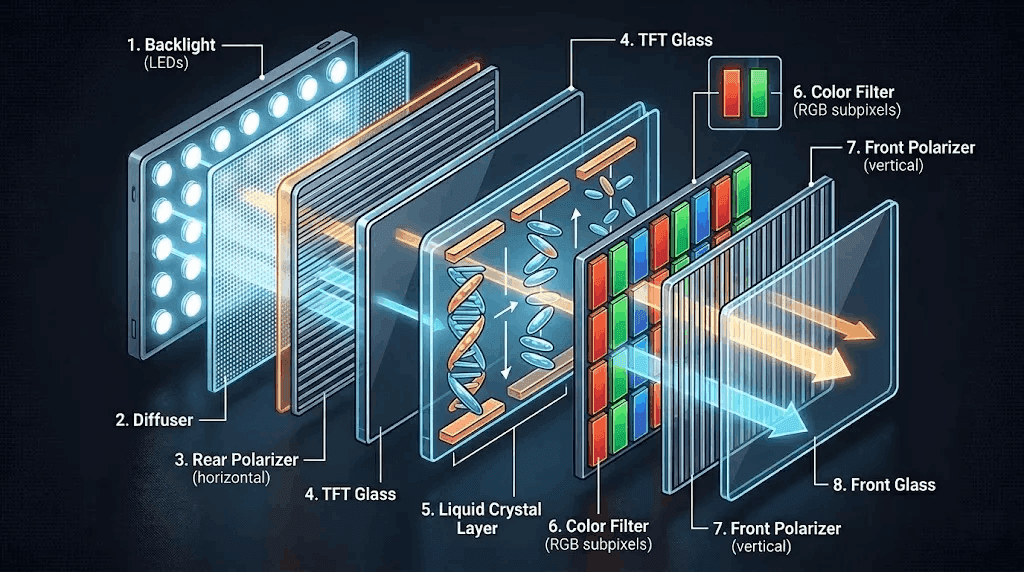
Diagram showing TV layers: LCD panel vs Backlight layer
There are two main reasons for "Sound but no picture":
- The Backlight is dead: The LEDs behind your screen have burned out. You will see a very faint image if you shine a flashlight directly on the screen.
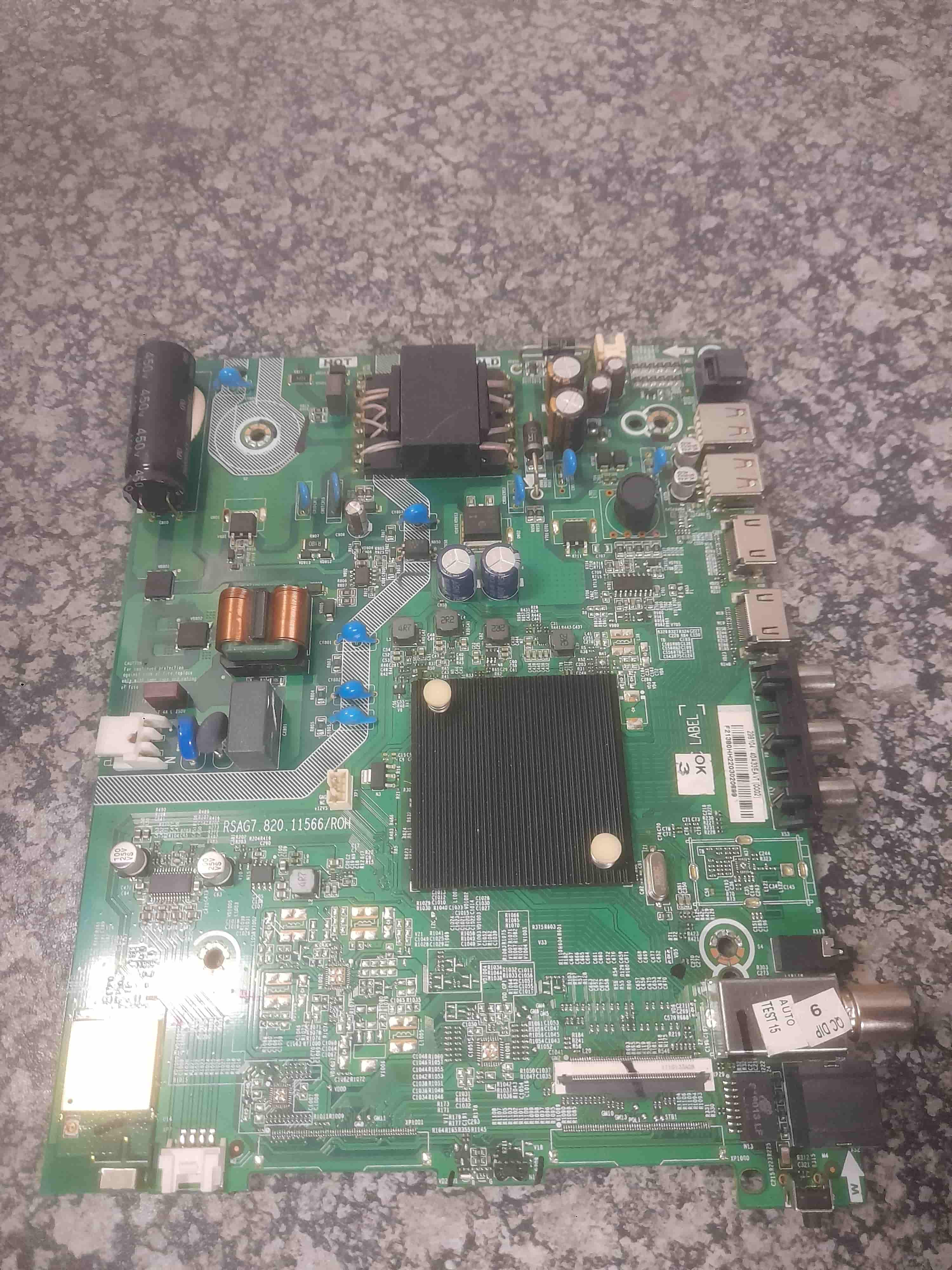
- The T-Con board failed: The timing control board isn't sending the image data to the screen.
Let's start with the easiest fixes first.
Step 1: The "Flashlight Test"
This is the most important diagnostic step.
What you need: A bright smartphone flashlight or an LED flashlight. The action: Shine the light directly onto the TV screen (at a 45-degree angle) while the TV is on and playing sound.
- You see a faint image/menu? Your backlight is broken. Skip to Step 4.
- You see absolutely nothing (just black)? The issue is likely the Main board or T-Con board. Go to Step 2.
Step 2: Power Cycle (Hard Reset)
Sometimes the software crashes while the hardware keeps working. A hard reset clears the internal memory.
- Unplug the TV from the wall outlet.
- Press and hold the physical power button on the TV itself (not the remote) for 30 seconds. This drains residual power.
- Wait 2 minutes.
- Plug the TV back in and try to turn it on.
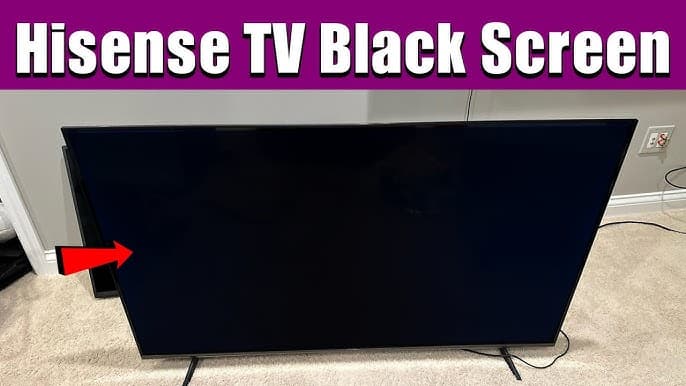
A Hisense TV that is clearly on (power LED lit) but the screen is completely dark.
Step 3: Cycle the Picture Modes (Blind Navigation)
Sometimes the TV gets stuck on an incorrect resolution or a broken HDMI handshake.
- Press the Input button on your remote.
- Wait 5 seconds.
- Press the Up/Down arrow once to change inputs (e.g., from HDMI 1 to HDMI 2).
- If you hear the audio change or drop out, the screen might come back. If not, try pressing Menu then Down Arrow x5 and Enter (to reset picture settings).
Step 4: Fixing a Dead Backlight (The "Flashlight" Fix)
If the flashlight test confirmed a dead backlight, you have three options:
Option A: The "Tap" Method (Temporary)
While the TV is on, gently tap the bottom bezel of the TV (the plastic strip below the screen) with the handle of a screwdriver.
- Why? Sometimes a solder joint is loose, and vibration reconnects it.
- Result: If the screen flashes on briefly, the backlight is definitely dead, but you might buy time.
Option B: Adjust the Backlight Level (Not Brightness)
Using a flashlight to see the menu:
- Press Settings.
- Navigate to Picture > Backlight (or "Local Dimming").
- Set the value to 100%.
- Note: If your backlight is completely burnt out, this won't fix it, but if it is just dim, it helps.
Option C: Professional Repair / Replacement
Replacing LED backlight strips requires removing the LCD panel. This is high risk.
- DIY Cost: R500 (LED strips from eBay)
- Professional Cost: R2450 - R4090
- Recommendation: If the TV is smaller than 50 inches, it is cheaper to buy a new Hisense TV. If it is 55 inches or larger, professional repair is worth it.
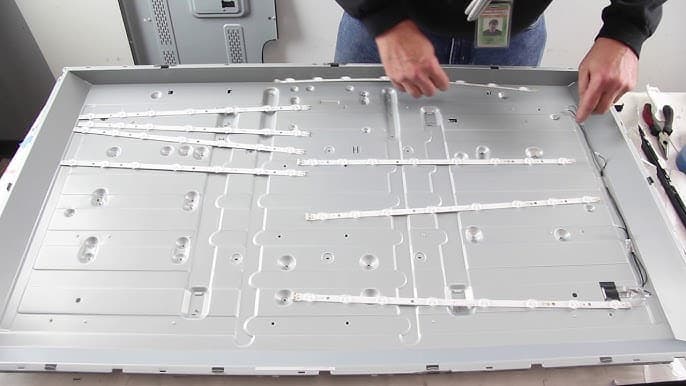
Close up of a technician replacing the backlights of a Hisense TV
Step 5: The T-Con Board & Ribbon Cable Fix (Advanced)
If the flashlight test showed no image at all, you might have a bad T-Con board or loose internal cable.
Warning: Opening your TV voids the warranty and carries a risk of electric shock (capacitors hold charge).
- Unplug the TV and remove the back cover.
- Locate the T-Con board (usually in the center, connected directly to the screen via two flat ribbon cables).
- Disconnect one ribbon cable from the T-Con board to the screen.
- Turn the TV on.
- If half the screen turns white (or shows a normal picture on one side), the side you disconnected is shorting out.
- If still completely black, reconnect that cable and disconnect the other side.
- If you find a shorted side, the panel is physically damaged. You need a new TV.
When to Call Hisense Support
If none of these steps worked, check your warranty status. Hisense offers:
- 4 Year Limited Warranty (South Africa).
- Support Number: 0860-hisense (4473673).
Important: If your TV is less than 1 year old, do not open the back panel. Opening the TV will void your manufacturer's warranty immediately. Call Hisense for a replacement.
Summary Table
| Symptom | Likely Cause | Solution |
|---|---|---|
| Faint image visible with flashlight | Dead Backlight LEDs | Replace LEDs or buy new TV |
| Red light blinking + Black screen | Power supply failure | Replace Power Board |
| No image (flashlight doesn't help) | T-Con board / Main board | Replace T-Con board or update firmware |
| Image flashes when tapping bezel | Loose backlight connector | Solder or professional repair |
Final Verdict
The Hisense black screen with sound issue is almost always a hardware failure, specifically the backlight LEDs.
- If you are handy: You can fix it for ~R500 in parts. Visit Tech and Bids to purchase parts.
- If you have a warranty: Claim it immediately.
- If you are an average user: It is usually more cost-effective to recycle the TV and buy a new one, unless it is a very large (55"+) premium model.
Experiencing a similar issue? Contact us for a no-obligation quote. We're here to help.