When a 55-inch 4K television refuses to wake up after a grid surge or a fridge flashes an unfamiliar alphanumeric error code on a Friday afternoon, specification sheets suddenly matter far less than Product Support. In South Africa, Samsung, Hisense, and Skyworth dominate living rooms and kitchens across every price tier—yet their post-purchase infrastructure operates on very different models.
Before booking a technician or hauling a boxed panel across town to one of their Service centers, it helps to understand how each brand handles local repairs—and, just as importantly, how to tell whether a fault code can be cleared with a five-minute hard reset or requires a bench-level hardware assessment.
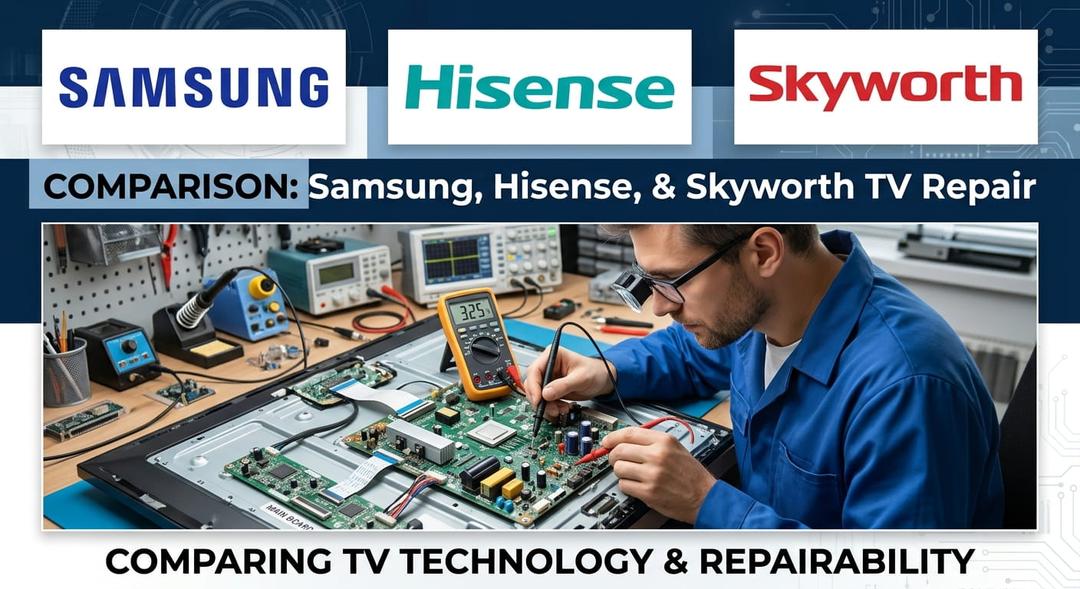
Figure 1: Side-by-side comparison graphic showing Samsung, Hisense, and Skyworth logos alongside a technician inspecting a television mainboard with a multimeter.
South Africa Support & Service Center Breakdown
Each of these three manufacturers has built a distinct footprint across South Africa. While warranty periods look similar on retail stickers, turnaround times depend heavily on local parts warehousing and regional technician reach. See the table below for a detailed breakdown of each brand's support and service center networks.
| brand | support helpline | service center footprint | in home callouts | parts availability | out of warranty support | typical warranty tv |
|---|---|---|---|---|---|---|
| Samsung | 0860 726 7864 / 0860 491 600 | Extensive (Flagship walk-in centers in Sandton, Menlyn, Umhlanga, Century City + 100+ authorized partners) | Yes (Standard for 43-inch+ TVs and large appliances) | High for core models; 3–7 business days via Samsung Parts portal | Structured fixed-fee assessments; third-party parts widely stocked | 24 Months |
| Hisense | 0860 447 3673 / +27 75 447 3673 (WhatsApp) | Moderate (Direct hubs in Bedfordview JHB & Milnerton CPT + regional accredited agents) | Yes (50-inch+ TVs and major refrigeration/laundry appliances) | Moderate to High (Local assembly plant in Atlantis, WC aids panel/board supply) | Available via direct centers and independent board-level repair shops | 36 to 48 Months (Model dependent) |
| Skyworth | 011 357 3730 / 011 357 3777 | Centralized (Main technical & parts hub in Halfway House, Midrand + retail return channels) | Limited (Primarily courier collection or drop-off via retailer/Midrand hub) | Moderate (Direct spare parts desk in Midrand; boards sometimes require import lead times) | Handled directly through Midrand service center (parts03@cntronics.co.za) | 24 to 36 Months |
1. Samsung South Africa: The Most Accessible Walk-In & Callout Network
Samsung operates the broadest consumer electronics support network in the country. Beyond its national toll-free line (0860 726 7864 / 0860 491 600), Samsung maintains flagship walk-in Service centers in major metros—including Sandton, Menlyn, Umhlanga, and Century City—backed by over 100 accredited repair partners nationwide.
- Where Samsung excels: Speed of triage and in-home callouts. For televisions 43 inches and larger, as well as major white goods, Samsung dispatches mobile technicians directly to your home. Parts logistics for current-generation QLED, Crystal UHD, and Bespoke appliances are streamlined through local hubs.
- The catch: Out-of-warranty diagnostic fees and OEM replacement assemblies (particularly full LCD/OLED panels) are priced at a premium. If your unit is outside its 24-month warranty, a panel quote can rival the cost of a new display.
2. Hisense South Africa: Strong Local Manufacturing & Extended Warranties
Hisense holds a unique advantage in South Africa: its manufacturing facility in Atlantis, Western Cape. Because a massive portion of locally sold Hisense TVs and refrigerators are assembled domestically, core components—such as power supply boards, T-Con boards, and LED backlight strips—are generally well-stocked inside the country.
- Where Hisense excels: Warranty length and accessible communication. Many Hisense ULED and large-screen models carry 36- to 48-month warranties, outlasting standard two-year coverage. Customers can reach support via phone (
0860 447 3673), email (service@hisense.com), or WhatsApp (+27 75 447 3673), with direct regional hubs in Bedfordview (Johannesburg) and Milnerton (Cape Town). - The catch: Outside Gauteng and the Western Cape, Hisense relies on third-party accredited service agents. Escalating an unresolved ticket between a regional agent and head office can require persistent follow-up.
3. Skyworth South Africa: Value-Focused with a Centralized Midrand Hub
Skyworth has carved out a strong reputation in South Africa for offering Google TV and OLED/QLED hardware at aggressive price points. However, its Product Support structure is noticeably more centralized than Samsung's or Hisense's.
- Where Skyworth excels: Direct access to technical staff and spare parts at its main facility in Halfway House, Midrand (
011 357 3730/011 357 3777). Unlike brands that wall off their technicians behind scripted call centers, Skyworth's Midrand operation provides dedicated lines for technician support and direct spare parts inquiries (parts03@cntronics.co.za). - The catch: Geographic reach. Because Skyworth does not operate walk-in brand lounges in every province, customers outside Gauteng typically rely on retailer return pipelines (such as Takealot, Makro, or HiFi Corp) or courier logistics to Midrand, which adds transit days to warranty turnaround times.
Fault Code Triage: Basic Reset vs. Professional Assessment
Many service tickets logged at South African Service centers turn out to be software lockups or surge-induced protection states rather than blown components. Conversely, repeatedly power-cycling a TV with a shorted backlight driver can turn a straightforward R950 repair into a dead mainboard.
Use the triage rules below—alongside the table below—before booking a technician.
| symptom or code | likely cause | diy reset viable | action required |
|---|---|---|---|
| Samsung Smart TV: Blinking Red Standby LED (2x or 5x) | Backlight LED strip open circuit or Power Supply Unit (PSU) voltage rail drop | Rarely (Try 60-second power drain first) | Professional bench assessment (Backlight/PSU repair) |
| Samsung Smart TV: Error 102 / 107 / 012 (Network/Smart Hub) | DNS cache corruption, regional server handshake timeout, or Wi-Fi module glitch | Yes | Basic Reset (Smart Hub Reset + manual DNS 8.8.8.8) |
| Hisense TV: Flashing Red Light (2, 3, or 4 blinks) / Black Screen with Sound | LED backlight array failure or T-Con board fuse blown | No | Professional assessment (Panel disassembly required) |
| Hisense Appliance: E1 / E4 / F1 Error Codes | Temperature sensor (thermistor) drift, water inlet timeout, or communication error | Sometimes | Hard power cycle (10 mins); if persistent, sensor replacement |
| Skyworth Android/Google TV: Stuck on Boot Logo / Flashing Standby Light | Corrupted eMMC firmware partition or mainboard regulator fault | Sometimes (USB firmware flash if no hardware short) | Try cold boot & pinhole reset; otherwise mainboard assessment |
| All Brands: HDMI No Signal / HDCP Handshake Error after Load-Shedding | Static charge buildup on HDMI controller IC or surged port | Yes (If IC is not physically shorted) | Full capacitor discharge (unplug TV + HDMI cables for 15 mins) |
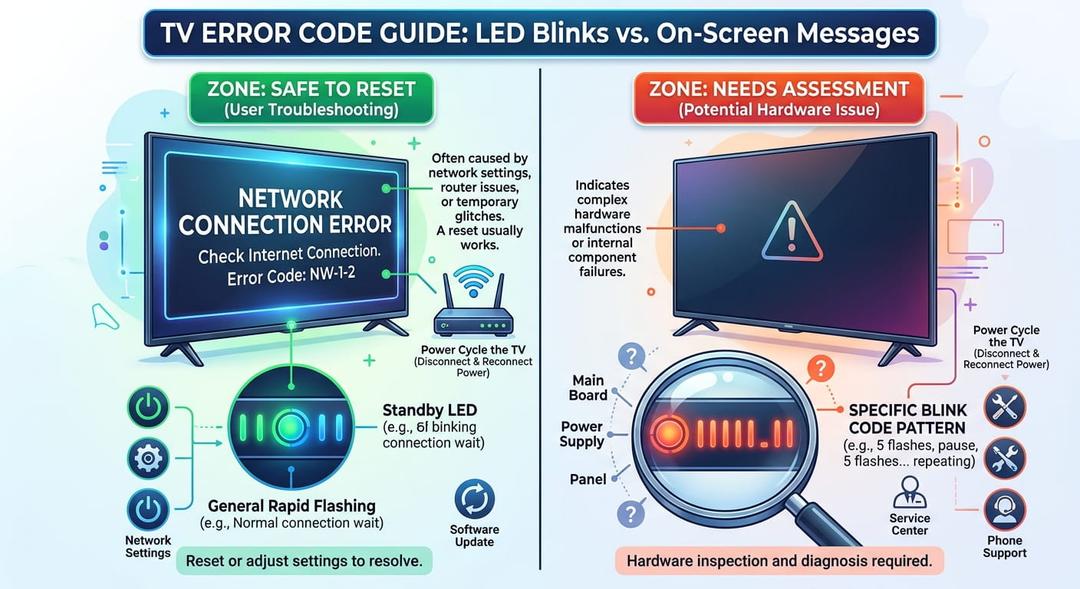
Figure 2: Close-up infographic illustrating a TV standby LED blink code pattern versus an on-screen network error code, split into 'Safe to Reset' and 'Needs Assessment' zones.
When a Basic Reset Will Likely Fix the Issue
Modern smart TVs and inverter appliances run embedded Linux or Android operating systems. Power dips, inverter switchovers, and brownouts frequently corrupt temporary memory states without damaging physical circuitry.
- On-Screen Network & App Errors (e.g., Samsung Error 102/107, Google TV Wi-Fi Drops): If the display backlight is bright and menus load, the hardware is healthy. Perform a network reset, toggle IPv6 off, and set DNS manually to
8.8.8.8. - Dead HDMI Ports After a Power Outage: Static buildup can lock the HDMI controller IC into a protective state. Unplug the TV and disconnect all HDMI cables from both ends for 15 minutes to drain the board's capacitors before reconnecting.
- Frozen Boot Screen (Android/Google TV): If a Skyworth or Hisense Google TV hangs on the splash screen immediately after an over-the-air update, a cold reboot (unplugging from the wall for 60 seconds, then holding the physical power button on the TV chassis for 15 seconds) often forces a clean boot recovery.
- Transient Appliance Sensor Errors (e.g., Hisense Fridge/Washer
E1orE4): A momentary voltage dip can cause a control board to misread a thermistor or water-level pressure switch. Isolate the appliance at the wall plug for 10 minutes. If the code clears and normal cooling or wash cycles resume, no callout is needed.
When You Must Stop and Book a Bench Assessment
Physical component failures trigger hardware protection circuits—usually signaled by blinking standby LEDs rather than on-screen text—because the panel cannot safely illuminate.
- Flashing Red Standby Light (2, 3, 4, or 5 Blink Patterns): On Samsung, Hisense, and Skyworth sets, a repeating standby blink code indicates the power supply unit (PSU) detected an over-current or under-voltage fault. Do not repeatedly plug and unplug the TV; book an assessment.
- Sound Without Picture ("Torch Test" Positive): If you hear audio and can faintly see moving images when shining a smartphone flashlight close to the screen, one or more LED backlight strips have burned out. Replacing backlights requires removing fragile LCD glass with suction rigs—never attempt this without dedicated bench tools.
- Clicking Relay Loop: A rhythmic click-click from the rear casing every few seconds means the PSU is attempting to start up, hitting a dead short (often a failed MOSFET or diode on the secondary rail), and shutting down to prevent fire or further board damage.
- Persistent Appliance Error Codes After a 10-Minute Isolation: If an
F-series orE-series fault returns immediately upon restoring power, a physical sensor, drain pump, or inverter PCB has failed and needs multimeter verification.
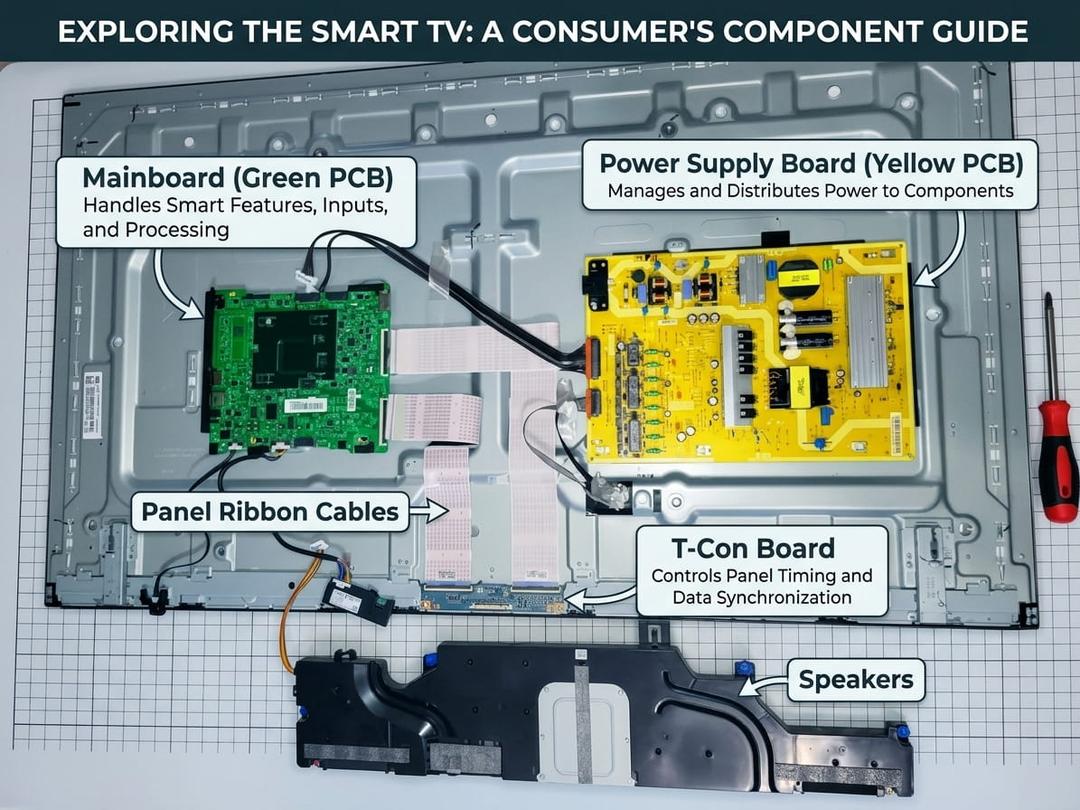
Figure 3: Inside view of a smart TV showing the Power Supply Board (yellow PCB), Mainboard (green PCB), and T-Con board clearly labeled for consumers.
Which Brand Wins for South African Buyers?
- Choose Samsung if you want the smoothest nationwide warranty logistics, fast in-home technician callouts, and walk-in Service centers across major South African cities.
- Choose Hisense if you prioritize longer standard TV warranties (3–4 years) and strong local spare-parts availability backed by South African assembly operations.
- Choose Skyworth if you are buying for maximum panel specs per Rand and live in Gauteng—or are comfortable utilizing retailer warranty swap-out channels when outside Midrand's immediate service radius.
Whichever badge sits on your wall or kitchen counter, keeping your proof of purchase digitized, running a dedicated surge-protection plug, and distinguishing a software freeze from a hardware blink code will save you unnecessary callout fees and weeks of downtime.
Experiencing a similar issue? Contact us for a no-obligation . We're here to help.
If you know what parts to look for, please visit to search for what you need.
for free estimate or quote.