_BMW E46 key fob with battery compartment open
A dead key fob battery is one of the most common issues E46 owners face. That frustrating moment when you press the unlock button and... nothing. Before you assume the remote is broken or head to the dealership, know that replacing the battery is a quick, inexpensive, and straightforward DIY fix.
This guide covers both the common diamond/oval-shaped 3-button remote (used on most 1999-2006 E46s) and important tips to ensure your key programming isn't lost.
🔋 Battery & Tools Required
You'll need just two things:
-
CR2020 3V Coin Cell Battery - This is the standard battery for E46 key fobs. Buy a quality brand (Panasonic, Duracell, Energizer) for longer life.
⚠️ Note: Some very early E46 keys (pre-2000) might use a CR2016. Check your old battery before purchasing.
-
A Small Flat-Head Screwdriver or Pry tool - To open the key fob casing.
📸 Identifying Your E46 Key Fob
Most E46s use one of two remote styles. This guide focuses on the most common:
- Diamond/Oval 3-Button Remote: The standard remote with Lock, Unlock, and Trunk buttons. It has a separate metal valet key.
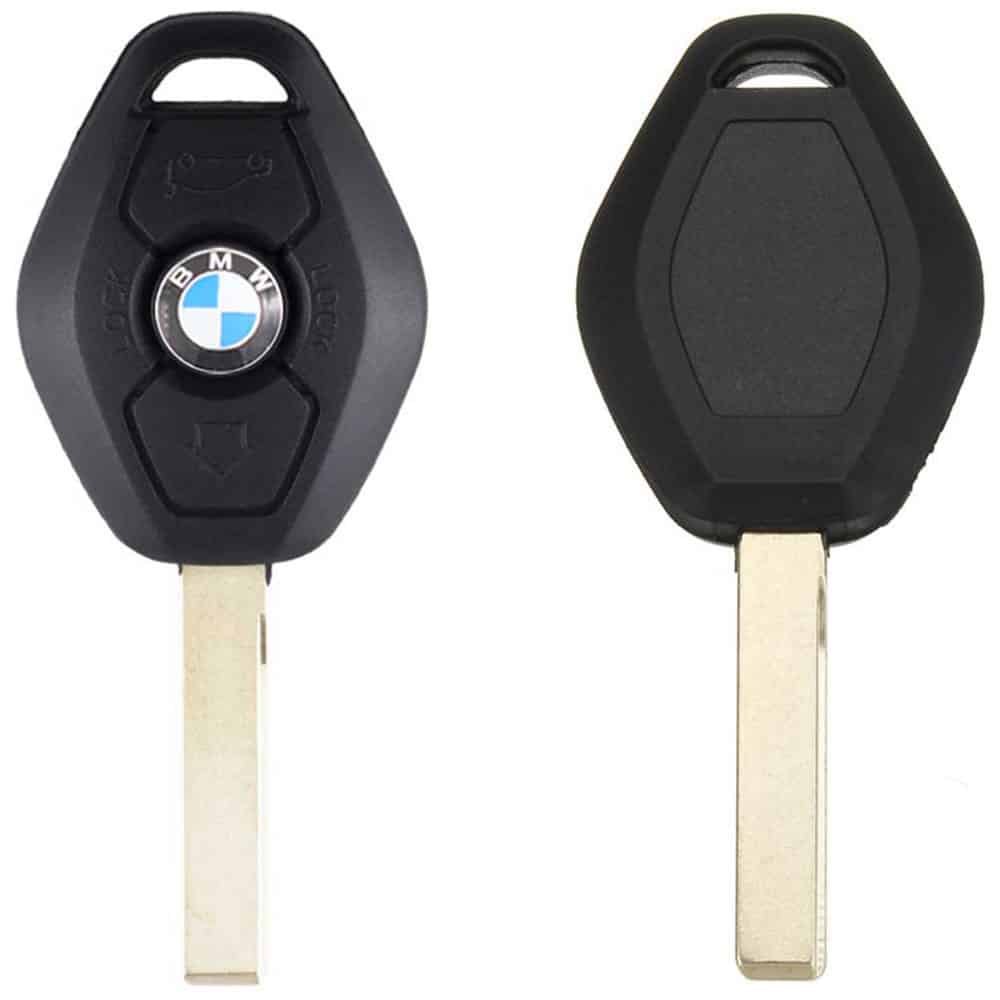
_BMW E46 key fob (front and rear)
- Integrated/Square Key (Less Common): The key blade folds into the fob. The battery replacement process is slightly different (involves prying apart the case).
🛠️ Step-by-Step Replacement Guide
Step 1: Separate the Key Shell
-
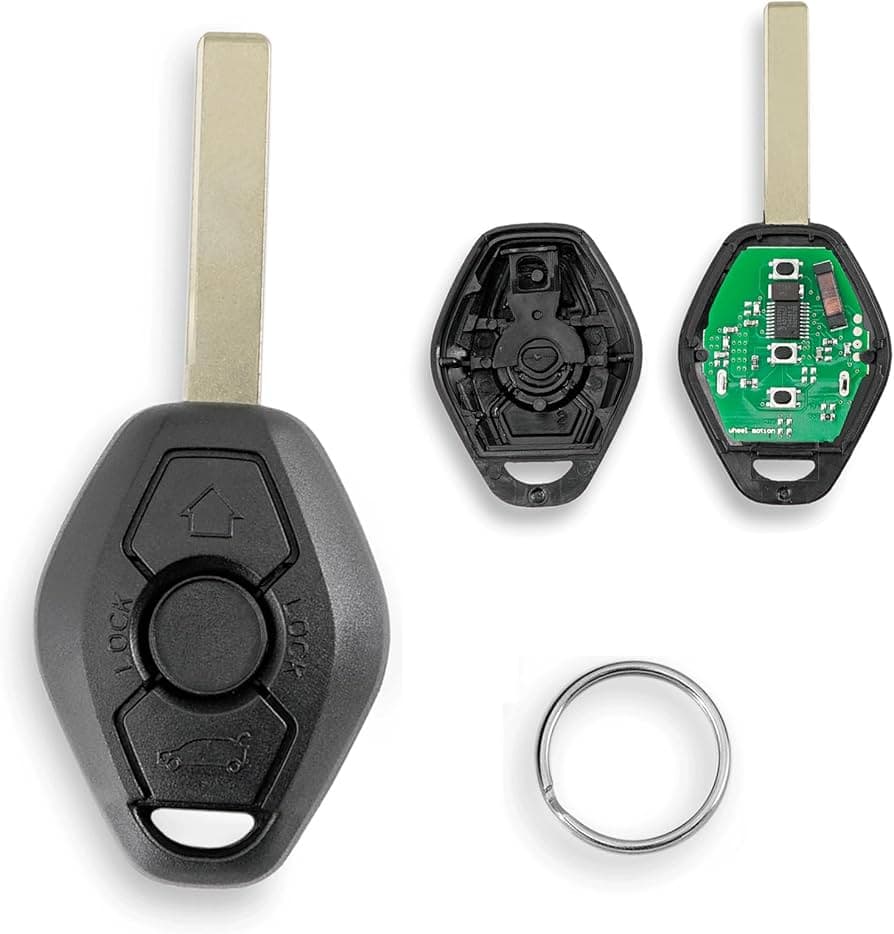
Locate the seam: With the valet key removed, you'll see a clear seam running around the middle of the plastic fob.
-
Insert your tool: Use the edge of a small flat-head screwdriver, a thin coin, or even your fingernail at the seam near the key ring hole.
BMW E46 key fob with battery compartment open
- Twist to open: Gently twist your tool to separate the two halves of the plastic shell. It should pop open without excessive force.
Step 2: Replace the Battery
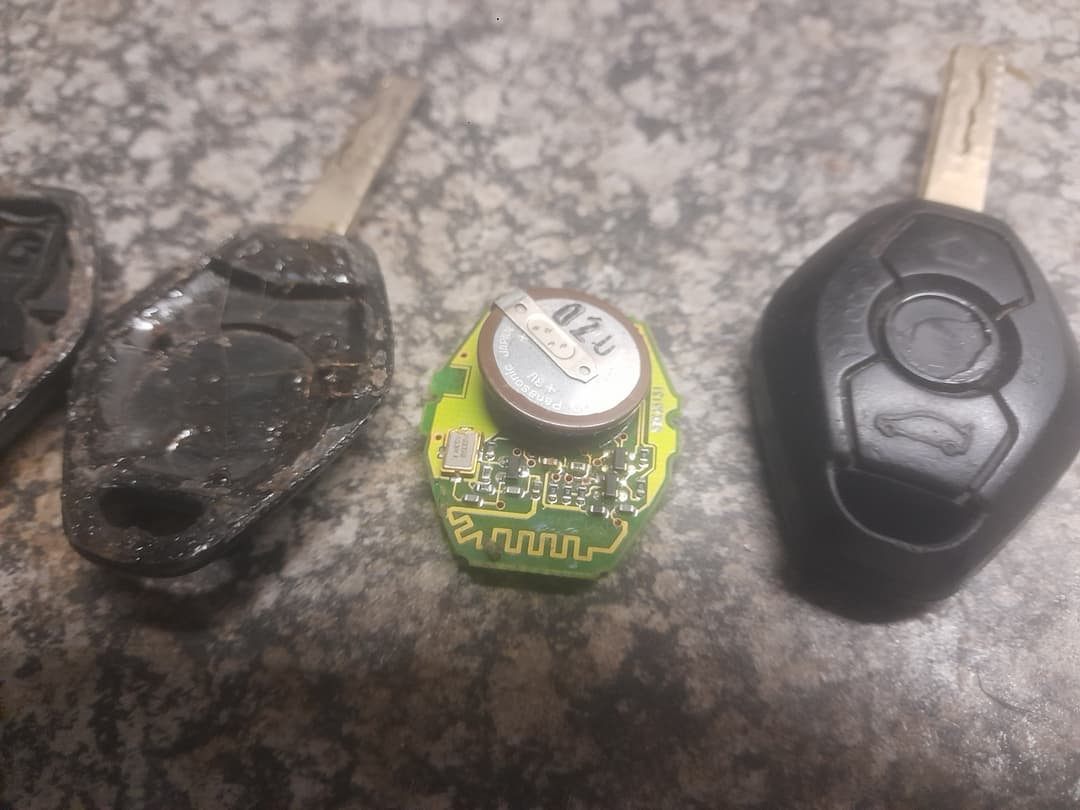
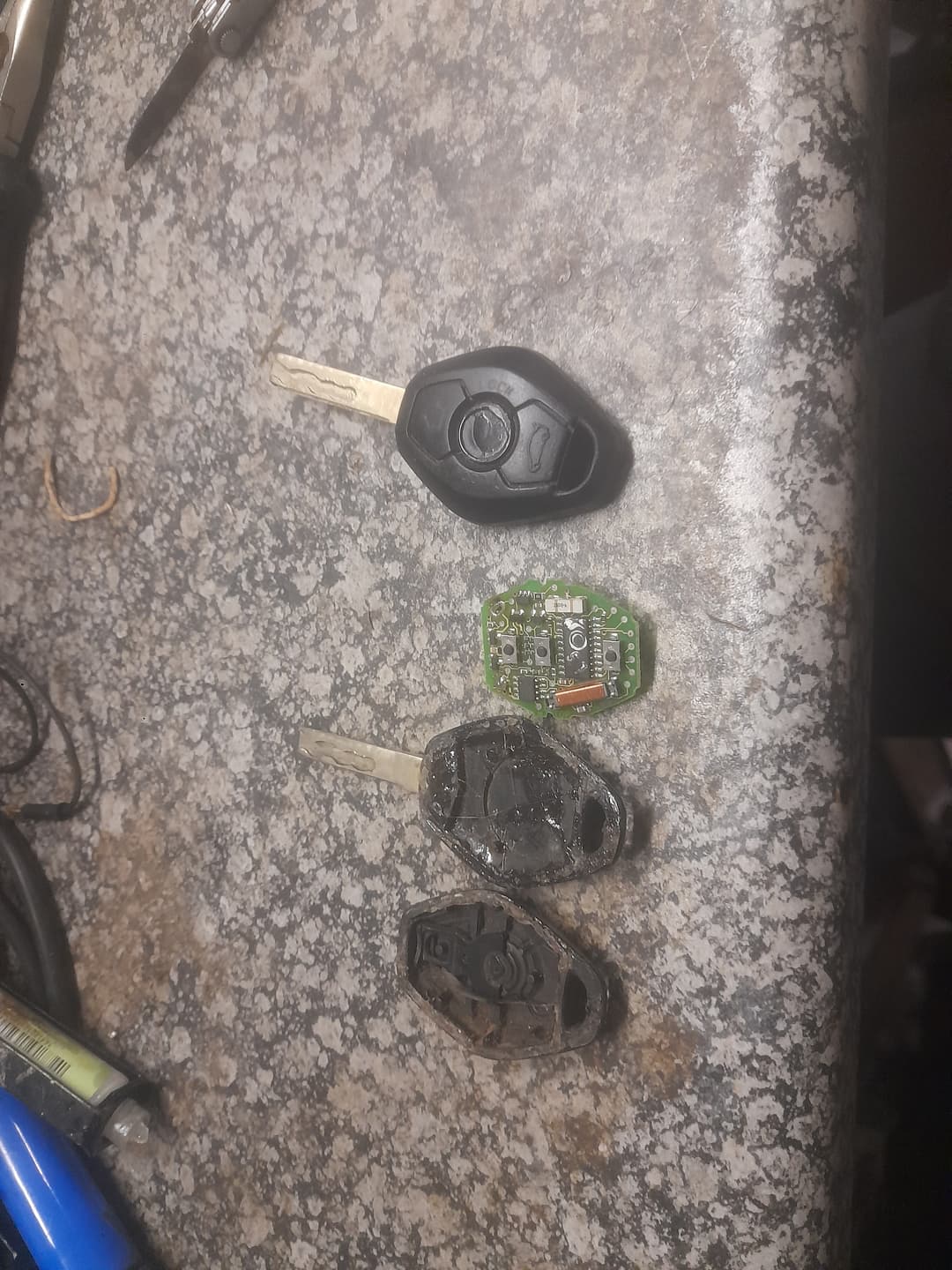
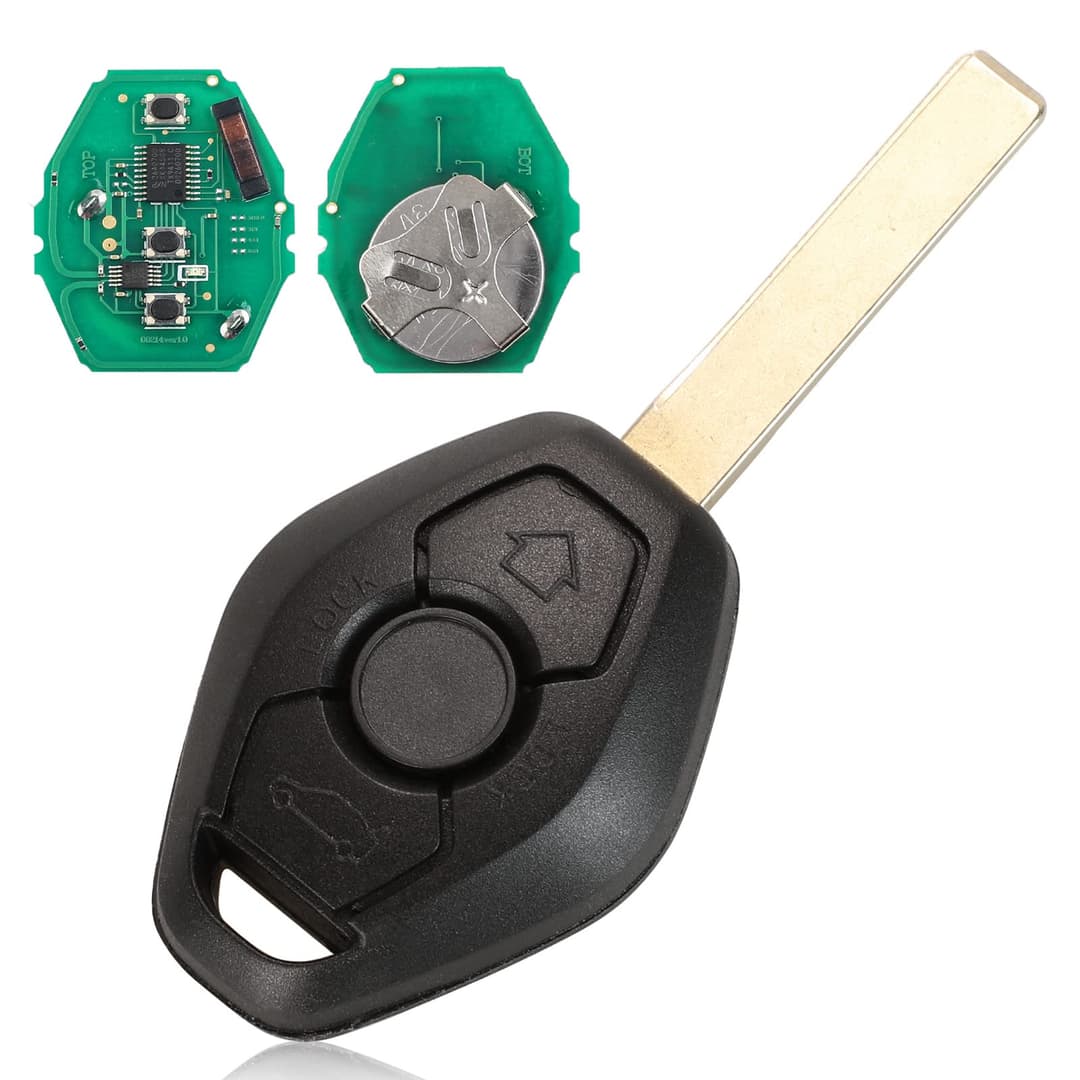
- Identify the battery compartment: Once open, you'll see the circuit board. The silver coin cell battery is usually soldered on the circuit board via a small metal clip.
BMW E46 key fob with battery compartment open
-
Remove the old battery: Desolder the posts of the metal clip from the key fob circuit board. Remove the battery and clip.
-
Insert the new CR2032:
- Observe the polarity! This is crucial. The positive side (+) with the text/lettering should face UP (toward you when the fob is open). The negative (-) flat side faces down into the casing.
- The posts of the clip will usually fit through the correct holes on the key fob pcb.
BMW E46 key fob with battery compartment open
Step 3: Reassemble & Test
-
Snap the halves together: Align the two halves of the plastic shell and press firmly around the edges until you hear a consistent click all the way around.
-
Reinsert the valet key.
-
Test the remote:
- Stand near your car and press the unlock or lock button. The car's lights should flash, and you should hear the locks cycle.
- If it doesn't work immediately, try pressing a button while aiming the key at the driver's side door handle.
🚨 Critical BMW-Specific Notes & Troubleshooting
"Will I Need to Reprogram My Key?"
Generally, No. The E46 key fob uses rolling code synchronization, not full reprogramming, for the remote functions. The immobilizer chip (for starting the car) is passive and doesn't require battery power.
If your remote doesn't work after battery replacement, you likely need to re-synchronize it:
- Unlock the driver's door using the metal valet key (not the remote).
- Insert the key into the ignition and turn it to position 1 (accessory) and then back to off, within 5 seconds.
- Remove the key from the ignition.
- Press and hold the UNLOCK button.
- While holding UNLOCK, press the LOCK button three times (you'll feel the fob vibrate slightly).
- Release the UNLOCK button. The doors should lock and unlock to confirm synchronization.
Still Not Working?
- Check Battery Polidity: The #1 mistake is putting the battery in upside down.
- Clean the Contacts: Use a cotton swab and a tiny amount of rubbing alcohol to clean the battery contacts on the circuit board and the inside of the fob shell.
- Try a Different Battery: Even new batteries can be dead. Test the voltage with a multimeter if possible.
- Inspect the Circuit Board: Look for any obvious corrosion or damage, especially if the key was exposed to moisture.
🛡️ Maintenance Tips to Extend Battery Life
- Avoid Extreme Temperatures: Don't leave the key fob on your dashboard in direct sun or in freezing conditions for extended periods.
- Minimize Unnecessary Button Presses: Accidentally pressing buttons in your pocket or bag drains the battery.
- Replace Proactively: If your remote range starts decreasing, the battery is getting weak. A quality CR2032 typically lasts 2-4 years.
✅ Conclusion
Replacing the battery in your BMW E46 key fob is a 10-minute, sub-R150 repair that anyone can do (provided you have the right tools). By following these steps and remembering the correct battery orientation, you can restore full remote functionality and avoid a costly trip to the dealer or locksmith.
Remember: The metal key blade will always work to unlock your door, and the immobilizer chip will always allow you to start the car—even with a completely dead fob battery. The remote functions are the only thing affected.
Pro Tip: if you feel like task is a bit out of your depth, don't hesitate to reach out to us or consult a professional.